

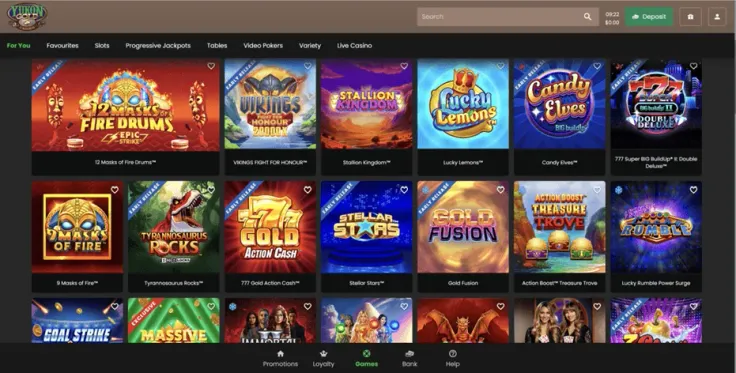
Yukon Gold Casino does not have an Android app. On an Android phone you play through the mobile site, which opens in the browser you already use, so there is nothing to download or install. The mobile version is the page to use on your phone.
If you usually play on a computer, expect the same kind of play on a phone, with a smaller layout and a few differences in how pages load. Live casino is part of the Yukon Gold Casino game range, so live dealer tables are among the games you can reach from a phone browser. Check that the table you want loads on your connection before you sit down, because a weak signal can slow a live stream.
What you can do on your phone

The mobile site gives you a phone version of Yukon Gold Casino, with the page sized to your screen. The main difference from a computer is size. Buttons, menus and game controls are smaller, so tap carefully, and turn the phone sideways when a game offers a wider view.
Live casino games stream a real dealer and table in real time. They need a steady connection, and a phone on a weak signal can freeze the stream or drop you from the table. Use Wi-Fi or a strong mobile signal for live play, and check the table limits before you join.
Slots and other games start only when you tap to start them, and every spin is started by you. The result of each spin is random and does not depend on the device, so a phone does not change how a game pays.
A game's paytable shows what each winning combination pays. Its RTP is the expected return over a very large number of rounds, and its volatility describes how often wins come and how large they tend to be. Read these figures before you play, whichever device you use.
Everything runs through the browser, so you need a connection to play. There is no offline mode, and clearing the browser's data may sign you out, so you will need to log in again.
Sessions on a phone can feel different from a computer because the screen is smaller and the stream may take longer to load. Take a short break if the screen feels tiring, and keep a charger nearby for longer sessions, since live streams use more battery than a short visit.
Why there is no app to install
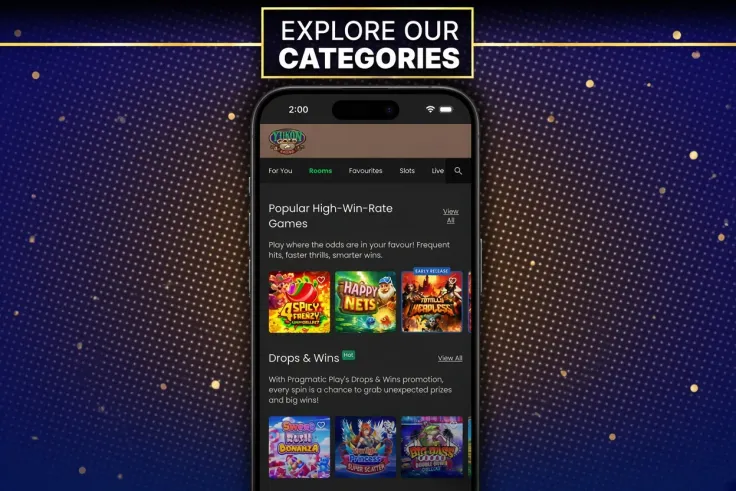
There is no Yukon Gold Casino app for Android, so there is nothing to search for in an app store. Do not install an APK or any other app file from a link, even one that claims to be Yukon Gold Casino. Installing software from an unknown source puts your phone and your data at risk, and it is not a route to the site.
Once you visit Yukon Gold Casino, the site opens in Chrome or another browser on your phone. The site is not installed on the device, so it takes no storage beyond what the browser keeps. If you want quicker access, the home screen shortcut mentioned above is an icon that opens the browser, not an installed program.
An app would load its own screens. In a browser, each page loads from the site, so a slow connection shows up more clearly. This is a difference in how pages load, not in what you can play. If a page loads slowly, check your signal, close other tabs and try again.
Keep your browser updated, since an old version can fail to load some pages or games. Clearing its data signs you out, so have your login details ready before you try again. If a page does not respond to a tap, reloading it often fixes the problem.
Keeping your account safe on your phone

Lock your phone with a passcode, fingerprint or face unlock, and set it to lock after a short time. Anyone who picks up an unlocked phone can see an open browser session, so do not leave it unlocked on a table or hand it to someone else while you are logged in.
Log out when you finish, especially on a shared or borrowed phone. Do not save your password in the browser on a device other people use, and do not share your login details with anyone. If you already have an account, log in only on a device you control. New players can create an account from the same device.
Public Wi-Fi is harder to trust. Log in and enter account details on a network you know, or use your own mobile data instead. Keep your phone's software updated too, since security fixes matter for any device that holds a logged-in session.
Mobile data is used by every page you open, and live streams use far more of it than a static page. Check your data plan before a long session, or use Wi-Fi at home for live play. If you lose your phone, change your password from another device as soon as you can.
Before you start, decide how much you will spend in the session and set a limit for it. Take a break when a session runs long. The safer gambling page explains the tools that help you keep play in check.