

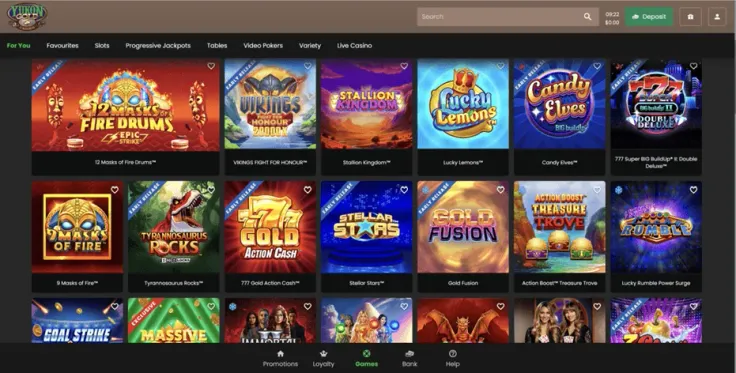
Yukon Gold Casino mobile play happens in the browser. The casino has no iPhone app and no Android app, and the mobile site is the one way to play from a phone or tablet.
That means nothing to download, no app store listing to look for and no app updates to manage. You open the site in your usual browser, log in and play. The steps above show the route, including how to add a shortcut to your home screen.
If you came looking for an app, the app page explains the situation, and the separate pages for iPhone and Android say the same for each platform.
What you can do on the mobile site

The mobile site is Yukon Gold Casino in your phone's browser. You can log in to an existing account or sign up from the phone, and the games you reach this way come from the same casino as on a computer. Yukon Gold Casino has a live casino, and the mobile site is how you reach it from a handset.
If you already have an account, the login page covers signing in. New players can read the sign-up guide before they start. Both work the same way on a phone as on a computer, since you are using the same website in a different browser window.
Here is how playing on a phone usually differs from a desktop, as general points rather than features of Yukon Gold Casino:
- The screen is smaller, so tables, paytables and menus take more scrolling and more care when you tap.
- You usually hold the phone in one orientation at a time. Turning it sideways gives a wider view for games that suit it.
- Touch controls replace the mouse, so tapping the wrong button is easier. Read each confirmation screen before you accept it, especially on deposits.
- Notifications, calls and messages can interrupt a session, so make sure a round has finished before you switch to another app.
Slots are a good place to see this in practice. The slots page lists what Yukon Gold Casino offers, and each game page explains the paytable, features, RTP and volatility. Check those before you play, because the way a game pays does not change between a phone and a computer.
For live games, the live casino page explains how the tables work. Check the table limits before you join, since they differ from game to game. Live video also needs a steady connection, which is worth keeping in mind if you are on the move.
Nothing to install: how the browser version works

Because Yukon Gold Casino has no native app, there is no store listing to find. If a website, message or advert offers you a Yukon Gold Casino app file, an APK or a download link, do not install it. Apps from unknown sources can carry malware and can be built to steal your login details. The real route is your phone's own browser and the link behind the visit Yukon Gold Casino button.
The shortcut is the closest thing to an app. Your browser's Add to Home Screen option puts an icon on your phone that opens the site in one tap. It is only a bookmark. It does not install software, add features or change how the casino works. If you share the phone with someone, remember that the shortcut makes it quicker for them to open the site as well.
A few practical points about the browser route:
- Use the browser that came with your phone, or another well-known browser that you keep updated.
- Check that the address shown in the browser bar is the casino's own and that the page is loaded over a secure connection.
- Do not log in through links that arrive in text messages or social media. Open the site yourself or use the button on this page.
- If the page looks wrong or will not load, close the tab and reopen the site rather than entering your details on a page you do not trust.
Playing in a browser also means there is no app to keep up to date. The casino site updates on the server side, so you see the current version each time you open it. Your phone's own system and browser updates are the ones that matter, because they carry the security fixes.
If you play on both a phone and a computer, you log in with the same account details on each. Keep those details private either way.
Keeping your account secure on a phone
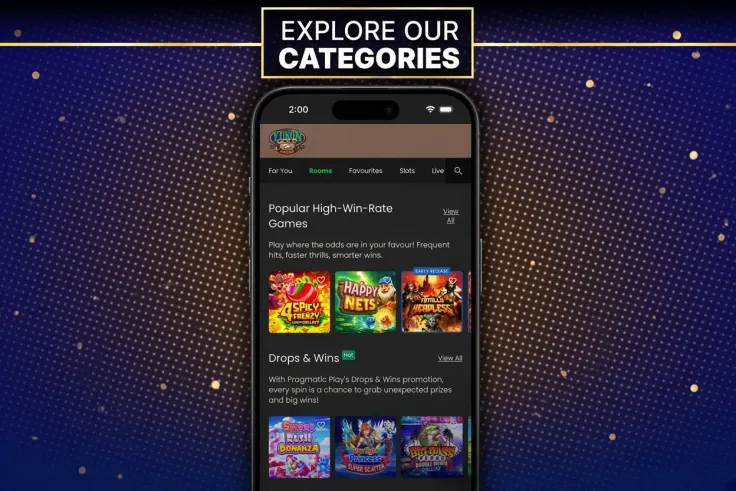
A phone is easy to lose and easy to hand to someone else, so the first protection is the device itself. Set a screen lock with a passcode or biometric unlock, and do not share the phone while you are logged in. Log out when you finish, particularly on a borrowed or shared device. If your browser offers to save the password, think about who else can open the phone before you accept.
Use a strong password that you do not use anywhere else. Avoid logging in over public Wi-Fi in cafés, stations or hotels. If you have to use it, a trusted mobile connection is the safer option. Money moves through the same account, so the same care applies when you deposit or withdraw. The deposit guide and the withdrawals page cover those steps, and the verification page covers identity checks.
Mobile data is the other thing to watch. Live dealer games stream video, which uses far more data than a slot, so check your plan before a long live session. A weak signal can also interrupt a round, so a stable Wi-Fi connection suits live play better than a patchy mobile one.
Set your limits before you start playing, not after. You must be 19 or over to play, and deposit limits, breaks and self-exclusion are available through the account's control tools. The safer gambling page explains them, and the helplines listed at the bottom of the page are free and confidential. Gambling is entertainment that costs money, and a phone makes it easy to play in short bursts that add up. Check your account history now and then so you know what you have spent.
If the phone is lost or stolen, change your Yukon Gold Casino password from another device as soon as you can. Then contact support through the details on the contact page.