

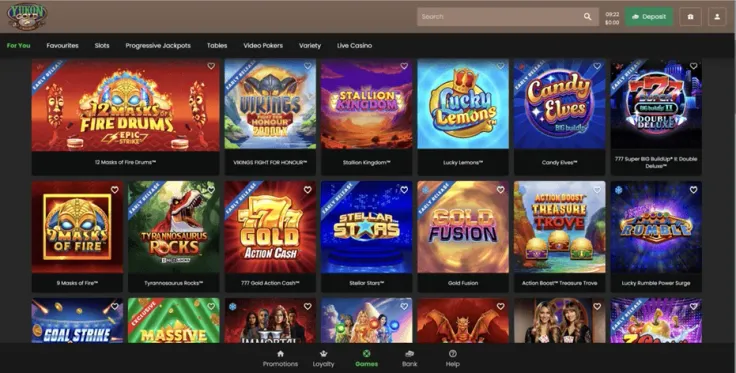
To make a Yukon Gold Casino withdrawal, you log in, confirm that your account is verified, open the cashier and request the amount. The steps above set out the order, and the table shows the limits and requirements that apply.
Most of the effort comes before the request. Have your account details to hand, make sure your identity documents are ready, and check the payment methods table to see which methods are shown for withdrawals. This page covers what happens behind those steps and what to do when a request stalls.
What happens behind a withdrawal request

A withdrawal is the point where Yukon Gold Casino has to confirm that the person asking for the money is the account holder. That is why identity verification comes before the request itself. You must be of legal gambling age and pass age and identity checks before you can withdraw.
Verification means sending documents that prove who you are and, where asked, where you live. A government-issued photo ID is the usual starting point, and a recent utility bill or bank statement often covers proof of address. The verification guide lists the documents in more detail, so you can prepare them in one go instead of sending them piece by piece.
The most common cause of delay is a document that cannot be read. Photos taken in poor light, cropped corners, glare over the text and expired IDs are the usual reasons for a second request. Take the picture on a flat surface in good light and make sure all four corners and every line of text are visible.
Names and details need to match
The name on your Yukon Gold Casino account should be the same as the name on your ID and on the payment method you use. A mismatch is one of the first things a payment check picks up. If you registered with a shortened name or a nickname, tell support before you request a withdrawal, not after a request is questioned.
As general advice, it helps to withdraw to a payment method that belongs to you and is in your own name. Cards, bank accounts and e-wallets registered to someone else often cause problems at online casinos, so avoid them.
The methods table above lists each payment method and whether it is shown for withdrawals. Read the withdrawal column, not just the deposit column. A method that works for paying in does not automatically work for paying out, so check the table before you decide how you want to be paid.
If the method you deposited with is not shown for withdrawals, you will need another route before you request a payout. Check this before you deposit, not after. The deposit guide covers the paying-in side, and the two pages are worth reading together.
Limits and processing
Read the limits and requirements table above before you request a payout, and note any requirement that applies to the method you have chosen. Check those details against your account before you submit the request, since a mismatch can hold up a payout.
An identity check can add time to a request, so complete verification before you ask for a payout. The is Yukon Gold Casino legit page covers the brand's background if you want to check it before you deposit or withdraw.
19+ · T&Cs apply
Common problems and what to do
Most withdrawal problems come down to a few causes. Work through them in this order before you contact anyone, because it usually saves time.
You cannot find or start the withdrawal
If the cashier does not offer a withdrawal option, or the request is refused when you submit it, check your verification status first. The steps above list verification as a requirement, and an account that has not completed it is the most likely reason. Finish that step, then try again.
Also check that you are logged in on the right site. Yukon Gold Casino is reached only through its own website, and this site has no login or payment form. If you need the way in, the login page explains it.
A document was rejected
Read the reason given, if there is one, and fix exactly that. A blurry image needs a clearer one. An expired ID needs a current one. A bill that is too old or does not show your name and address needs a newer document. Send the corrected file instead of sending the same file again.
Do not edit, crop heavily or alter a document to make it pass. Altered documents are likely to be rejected, and that causes far bigger problems than a slow request.
The withdrawal is taking longer than you expected
First, give the request reasonable time to be processed, especially while an identity check is still open. If it has been a while, check three things:
- Your verification is complete and none of your documents are waiting for a reply.
- The payment details you entered are correct and belong to you.
- The amount and the method you chose match what you intended to request.
If all three are fine and the request still has not moved, contact support. Have your request details ready: the date, the amount and the method you chose.
Money sent but not showing
Once the casino has sent a payment, the time it takes to arrive depends partly on your bank or payment provider. Check your account history and any pending items. If the amount has not arrived after a reasonable wait, ask support for the transaction details so you can show them to your bank or provider.
When to contact support
Yukon Gold Casino offers live chat and email. Live chat suits a quick question, such as what a rejected document needs or whether your verification is complete. Email suits cases where you want to attach documents or keep a written record of the exchange. The contact page lists how to reach the team.
When you write, give your account email, the date and amount of the request, the method used and what you have already tried. A clear message with those details gets a more useful answer than a short note saying a withdrawal is late. Keep it polite and factual, and do not send the same request through several channels at once, as that can slow down the reply.
Keeping your account safe

Enter your password only on Yukon Gold Casino's own website, reached from a bookmark you saved or by typing the address yourself. Yukon Gold Casino has no app listed for iPhone or Android, so any download that claims to be one is not from Yukon Gold Casino. Treat links in emails or messages that ask for your login or payment details with suspicion.
Use a password that you do not use anywhere else, and keep your email account secure too, since password resets go there. Do not share your login, your documents or any verification codes with anyone, including people who say they work for support. A genuine support agent does not need your password.
Send your identity documents only through the channels Yukon Gold Casino gives you, and store copies somewhere safe on your own device. Delete photos of your ID from shared folders, chat apps and cloud albums once they are no longer needed.
Keep your own records. Note the date, amount and method of each withdrawal request, and save any confirmation message. If something goes wrong, those details make a support conversation much shorter.
Finally, decide on your limits before you play, not when you are already in a session. Deposit limits, breaks and self-exclusion are available, and the safer gambling page explains how to use them. Withdrawing is a normal part of using an account and a good time to check how much you have spent on play, as gambling is entertainment that costs money.